欢迎到静息态功能磁共振成像论坛
Welcome to the forum of resting-state fMRI

Resting-State fMRI Data Analysis Toolkit V1.7 (静息态功能磁共振数据处理工具包 V1.7)

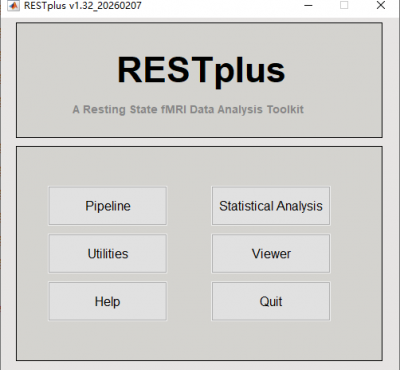
Resting-State fMRI Data Analysis Toolkit (REST) is a convenient toolkit to calculate Functional Connectivity (FC), Regional Homogeneity (ReHo), Amplitude of Low-Frequency Fluctuation (ALFF), Fractional ALFF (fALFF), Gragner causality and perform statistical analysis. You also can use REST to view your data, perform Monte Carlo simulation similar to AlphaSim in AFNI, calculate your images, regress out covariates, extract ROI time courses, reslice images, and sort DICOM files. Download a MULTIMEDIA COURSE would be helpful for knowing more about how to use this software. Add REST's directory to MATLAB's path and enter "REST" in the command window of MATLAB to enjoy it.

Citation of REST is: 
Xiao-Wei Song, Zhang-Ye Dong, Xiang-Yu Long, Su-Fang Li, Xi-Nian Zuo, Chao-Zhe Zhu, Yong He, Chao-Gan Yan, Yu-Feng Zang. (2011) REST: A Toolkit for Resting-State Functional Magnetic Resonance Imaging Data Processing. PLoS ONE 6(9): e25031. doi:10.1371/journal.pone.0025031

The latest release is REST_V1.7_120101.

DOWNLOAD 

Multimedia Course: Data Processing of Resting-State fMRI

New features of REST V1.7 release 120101:
1. REST now support .nii and .nii.gz 3D or 4D files. (DONG Zhang-Ye and YAN Chao-Gan)
2. New module of Normality Test added at REST->Utilities->REST Normality Test. Please see an application in Zang, Z.X., Yan, C.G., Dong, Z.Y., Huang, J., Zang, Y.F., 2012. Granger causality analysis implementation on MATLAB: A graphic user interface toolkit for fMRI data processing. Journal of Neuroscience Methods 203, 418-426. (ZANG Zhen-Xiang)
3. Surface Map View Mode work with BrainNet Viewer (by Mingrui Xia, http://www.nitrc.org/projects/bnv). REST Slice Viewer->Misc->Surface View with BrainNet Viewer. Command line version: rest_CallBrainNetViewer.m or named to BrainNet_MapVolume.m in BrainNet Viewer. (YAN Chao-Gan)
4. The GUI view in Linux or Mac OS has been optimized. (YAN Chao-Gan)
5. Fixed a bug while frequency start with 0 or up to sampleFreq/2 in alff.m. (YAN Chao-Gan)
6. The coordinates conversion from Talairach space to MNI space has changed from tal2mni.m to tal2icbm_spm.m. The function is developed and validated by Jack Lancaster (Lancaster et al., 2007). The same for icbm_spm2tal.m. (YAN Chao-Gan)

Data Processing Assistant for Resting-State fMRI (DPARSF) V2.1


Data Processing Assistant for Resting-State fMRI (DPARSF) is a convenient plug-in software based on SPM and REST. You just need to arrange your DICOM files, and click a few buttons to set parameters, DPARSF will then give all the preprocessed (slice timing, realign, normalize, smooth) data, FC, ReHo, ALFF and fALFF results. DPARSF can also create a report for excluding subjects with excessive head motion and generate a set of pictures for easily checking the effect of normalization. You can use DPARSF to extract AAL or ROI time courses (or extract Gray Matter Volume of AAL regions, command line only) efficiently if you want to perform small-world analysis. DPARSF basic edition is very easy to use, just click on buttons if you are not sure what it means, popup tips would tell you what you need to do. DPARSF advanced edition (alias: DPARSFA) is much more flexible, you can use it to reorient your images interactively or define regions of interest interactively. You can skip or combine the processing steps in DPARSF advanced edition freely. Please download a MULTIMEDIA COURSE to know more about how to use this software. Add DPARSF's directory to MATLAB's path and enter "DPARSF" or "DPARSFA" in the command window to enjoy DPARSF basic edition or advanced edition.

The latest release is DPARSF_V2.1_120101

DOWNLOAD 

Multimedia Course: Data Processing of Resting-State fMRI

New features of DPARSF_V2.1_120101:
For DPARSFA (Advanced Edition):
1. Support .nii and .nii.gz 3D or 4D files. For 4D .nii(.gz) functional files, use Checkbox "4D Fun .nii(.gz) to 3D" to convert into 3D files. For T1 3D .nii.gz files, use Checkbox "Unzip T1 .gz" to unzip. Use Checkbox "Crop T1" to Reorient to the nearest orthogonal direction to "canonical space" and remove excess air surrounding the individual as well as parts of the neck below the cerebellum (MRIcroN's dcm2nii).
2. Normalize by DARTEL has been added. Details: (1) "T1 Coreg to Fun": the individual structural T1 image is coregistered to the mean functional image after motion correction. (2) "New Segment + DARTEL": New Segment -- The transformed structural image is then segmented into gray matter, white matter and cerebrospinal fluid by using "New Segment" in SPM8. (3) "New Segment + DARTEL": DARTEL -- Create Template, and DARTEL -- Normalize to MNI space (Many Subjects) for GM, WM, CSF and T1 Images (unmodulated, modulated and smoothed [8 8 8] kernel versions). (4) "Normalize by DARTEL": DARTEL Normalize to MNI space (Few Subjects) for functional images. (5) "Smooth by DARTEL": DARTEL Normalize to MNI space (Few Subjects) for functinal images but with smooth kernel as specified, the smoothing is part of the normalisation to MNI space computes these average intensities from the original data, rather than the warped versions.
3. Reorient functional images and reorient T1 images interactively before coregistration: Checkbox "Reorient Fun*" and Checkbox "Reorient T1*". Interactively reorienting the anatomic images and functional images so that the origin approximated the anterior commissure and the orientation approximated MNI space, this will improve the accuracy in coregistration and segmentation. This step could probably solve the bad normalization problem for some subjects in "normalized by unified segmentation" or "normalized by DARTEL".
4. Multiple functional sessions supported. The directory should be named as FunRaw (or FunImg) for the first session; S2_FunRaw (or S2_FunImg) for the second session; and S3_FunRaw (or S3_FunImg) for the third session... In "Realign", "the sessions are first realigned to each other, by aligning the first scan from each session to the first scan of the first session. Then the images within each session are aligned to the first image of the session." (from SPM Manual).
5. Fixed a bug for calculation error in the second (and 3rd, 4th, ...) subjects in "Calculate in Original Space (Warp by information in unified segmentation)".
6. The calculations of ALFF and fALFF are promoted before filtering. Fixed a previous bug of calculating fALFF after filtering in the previous version of DPARSFA.
7. Mac OS compatible.
8. Template Parameters in DPARSFA:
    8.1. Standard Steps: Normalized by DARTEL
    8.2. Standard Steps: Normalized by DARTEL (Start from .nii.gz files)
    8.3. Standard Steps: Normalized by T1 image unified segmentation
    8.4. Calculate in Original Space (Warp by information in unified segmentation)
    8.5. Intraoperative Processing
    8.6. VBM (New Segment and DARTEL)
    8.7. VBM (unified segmentaition)
    8.8. Blank
  
For DPARSF (Basic Edition)
1. Normalize by DARTEL has been added. By checking "Normalized by using.. DARTEL", the processing details are the same as in DPARSFA: (1) "T1 Coreg to Fun": the individual structural T1 image is coregistered to the mean functional image after motion correction. (2) "New Segment + DARTEL": New Segment -- The transformed structural image is then segmented into gray matter, white matter and cerebrospinal fluid by using "New Segment" in SPM8. (3) "New Segment + DARTEL": DARTEL -- Create Template, and DARTEL -- Normalize to MNI space (Many Subjects) for GM, WM, CSF and T1 Images (unmodulated, modulated and smoothed [8 8 8] kernel versions). (4) "Normalize by DARTEL": DARTEL Normalize to MNI space (Few Subjects) for functional images. (5) "Smooth by DARTEL": DARTEL Normalize to MNI space (Few Subjects) for functinal images but with smooth kernel as specified, the smoothing is part of the normalisation to MNI space computes these average intensities from the original data, rather than the warped versions.

Hope to finish a video course for the new features in soon.

AAL TC 提取

DPARSF 的AAL 提取还能做AAL 1-90
昨天我试着提取116个AAL

DPARSFRun.m 的提取AAL脑区的子程序所有“for iAAL=1:90”改为“for iAAL=1:116”
但是最后生成的 AALTC.mat 文件中。时间序列只有1-99

100以后的时间序列被加在1-15时间序列的后边

详细的 .mat文件见附件

多谢指教

Multi-label images

 Hi, i want to know if the ROI-wise analysis could define the multi-label images?
Or it could just define 2 ROIs? Thanks.

DPARSF Smooth 另一个错误

Running 'Smooth'
Done    'Smooth'
Done

Warning: Directory already exists.
> In DPARSF_run at 971
  In DPARSF>pushbuttonRun_Callback at 976
  In gui_mainfcn at 96
  In DPARSF at 43
Moving Smoothed Files:1002746707 OK
    'Error in Smooth: 1002746707'

DPARSF 出错

系统
 XINXP , Matlab2011b, REST 1.7, DEPARSF 2.1

出错内容如下,多谢指教!

Undefined function 'cfg_util' for input arguments of type 'cell'.

Error in spm_jobman (line 205)
            cjob = cfg_util('initjob', mljob);

Error in DPARSF_run (line 365)

关于静息态研究中样本量计算问题

请教各位老师:

如果想发现A,B两组存在可靠的静息态参量(例如:smReHo,malff等)差异区域,那么在实验设计中如何确定A,B两组患者的样本量呢?我记得在统计学上有计算病例-对照研究以及队列研究样本量计算的公式,但是如何将其移植到用于磁共振的单样本统计分析、双样本统计分析以及方差分析中,找出适合这三种分析的样本量计算公式呢?
 

about ICA 报错

老师:
     您好!
    我在运行ICA时,使用的是两组被试做对照,每组25例,设定运行次数50(之前用了100次报错说内存不够所以选用了50次)、自动估计成分,最后运行结束时,我想看所有被试的相同成分例如第26个成分,总是报错(如下示),不知道是什么原因,如果想提取(extract)这个成分出来,还是报错,麻烦老师您帮我看看,谢谢!

观察所有被试某个相同成分时报错:
Warning: Calling MEX-file

BA分区与标准化坐标分区问题

老师,您好!我的大论文的盲评专家提的意见看不懂,不晓得什么意思,请教老师。
表6的研究结果中,阐述了艾灸前后ReHo值变化的脑区,采用了BA分区,但是在实验方法中却没有提及如何对FMRI扫描获得的功能磁共振图像进行标准化的坐标化分区

Artifacts

Dear experts,
I ran the DPARSF preprocessing steps on a set of fMRI subjects, and I obtained images with parallel streaks which didn't look right. I am enclosing an example image. Has anyone encountered a similar issue?
Could one reason be that there was radio frequency leakage, as one book suggests? Or could it be the settings of DPARSF that I need to modify?

Syndicate content